> ## Documentation Index
> Fetch the complete documentation index at: https://docs.contextforce.com/llms.txt
> Use this file to discover all available pages before exploring further.
# Youtube
> Youtube Video Summarization
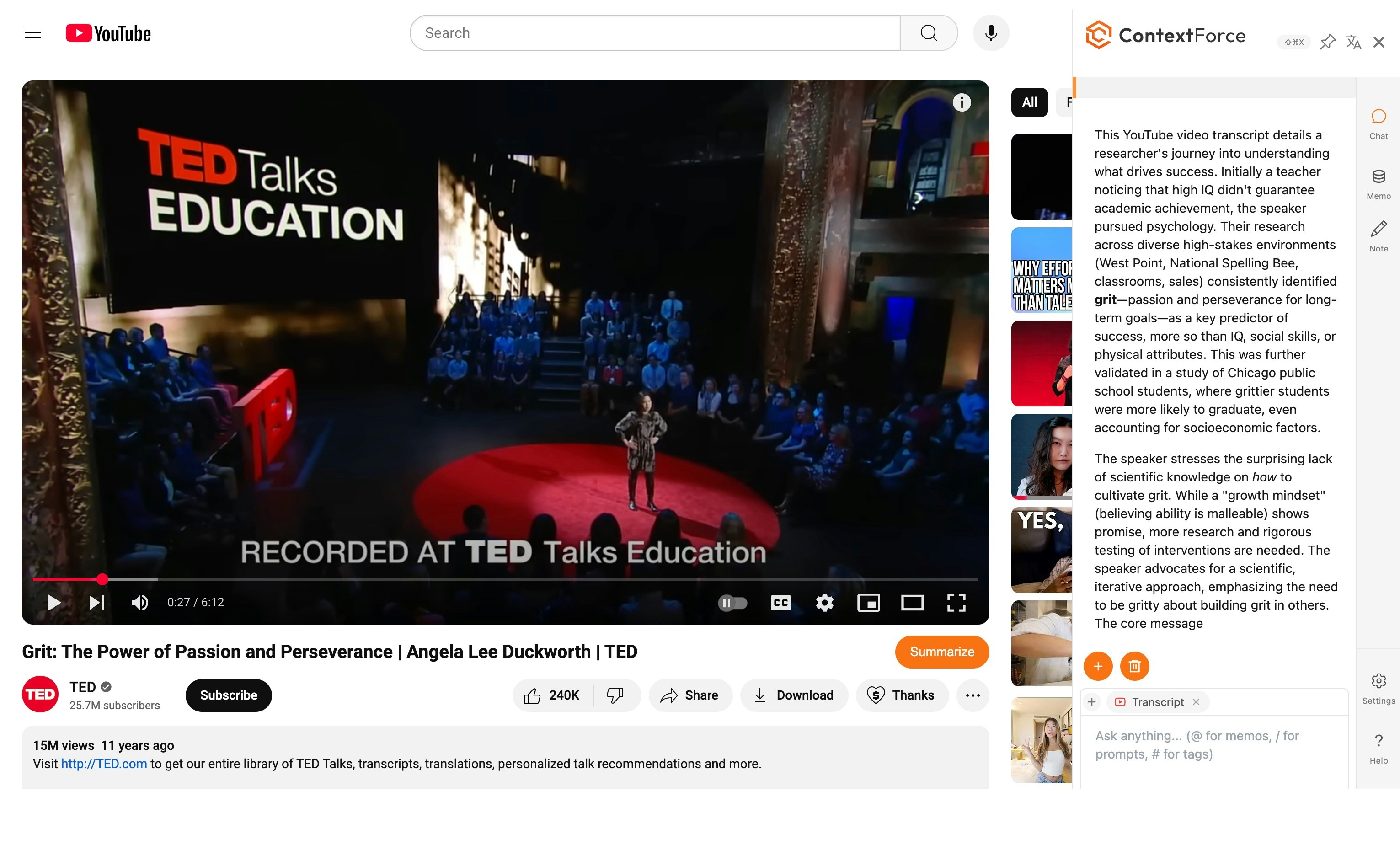 ## Key Features
### 1. Content Extraction 🔍
LEXI extracts various elements from YouTube videos, including complete transcripts. Users can ask specific questions about the video content and receive accurate answers based on the extracted information.
### 2. Interactive Transcript 📝
Access the full video transcript via the Transcript icon
* Click any section to navigate directly to that timestamp
* Follow along with video content in text form
### 3. One-Click Summary ⚡
Access instant video analysis via the `Summarize` button
* Generate quick summaries of video content
* Toggle functionality through Web Assistant settings
### 4. Knowledge Base 📚
Save videos to your searchable knowledge base
* Reference saved content using the `@` symbol
* Build a searchable library of video content
* Quick access to saved video information
> **Example workflow:**
>
> 1. Load a video into your knowledge base in the MEMO Tab
> 2. Use the `@` symbol in chat to reference and summarize saved videos
> 3. Build a comprehensive collection of valuable content for future reference!
## Configuration
Configure specialized prompts for YouTube content analysis
## Key Features
### 1. Content Extraction 🔍
LEXI extracts various elements from YouTube videos, including complete transcripts. Users can ask specific questions about the video content and receive accurate answers based on the extracted information.
### 2. Interactive Transcript 📝
Access the full video transcript via the Transcript icon
* Click any section to navigate directly to that timestamp
* Follow along with video content in text form
### 3. One-Click Summary ⚡
Access instant video analysis via the `Summarize` button
* Generate quick summaries of video content
* Toggle functionality through Web Assistant settings
### 4. Knowledge Base 📚
Save videos to your searchable knowledge base
* Reference saved content using the `@` symbol
* Build a searchable library of video content
* Quick access to saved video information
> **Example workflow:**
>
> 1. Load a video into your knowledge base in the MEMO Tab
> 2. Use the `@` symbol in chat to reference and summarize saved videos
> 3. Build a comprehensive collection of valuable content for future reference!
## Configuration
Configure specialized prompts for YouTube content analysis